
A 2026 global survey of more than 45,000 students and faculty across 35 countries showed that 88% of students now use AI in their learning. Due to this high adoption rate, we spent time testing today’s leading AI tools for students to see which ones actually help you study smarter. After testing, we broke down the best use cases for each tool so you can build a toolkit that fits your needs and budget.
Best AI Tools for Students: At a Glance
The best AI tools for students in 2026 span various areas, depending on what you need them for.
| Tool | Best For | Free Plan? | Starting Price |
| NotebookLM | Research and source-grounded studying | Yes | $4.99/mo (Plus) |
| Perplexity | Research and cited answers | Yes | $10/mo (Education Pro) |
| Elicit | Academic research | Yes | ~$10/mo (Plus) |
| Grammarly | Writing and essays | Yes | $12/mo (Pro, annual) |
| QuillBot | Paraphrasing and citations | Yes | $6.25/mo (student rate) |
| ChatGPT | General writing and brainstorming | Yes | $20/mo (Plus) |
| Gamma AI | Presentations | Yes | ~$9/mo (Plus) |
| Canva AI | Visual projects and presentations | Yes | ~$15/mo (Pro) |
| Fliki | Video projects | Yes, limited | ~$21/mo (Standard, annual) |
| Notion AI | Note-taking and task management | Limited trial only | $20/mo (Business) |
| Quizlet | Flashcards and study prep | Yes | $7.99/mo (Plus) |
| Microsoft Math Solver | Math problem-solving | Yes, fully free | Free, no paid tier |
| Duolingo Max | Language learning | Yes | $29.99/mo (Max) |
Best for Academic Research and Source-Grounded Studying
If you need to go through lecture slides, PDFs, or academic papers without the tool leaving out or inventing sources, NotebookLM, Perplexity, and Elicit are the three top options.
1. NotebookLM

- Best for: Turning your own lecture notes, readings, and slides into a source-grounded study assistant
- Key strength: Answers only from the documents you upload, so it doesn’t fabricate information
- Price: Free version, while Plus starts at $4.99/month through Google AI Plus
NotebookLM is Google’s research tool built around the idea that AI technologies shouldn’t answer from general knowledge, especially if you’ve handed it your own course material. When you upload your lecture PDFs or your professor’s slides, NotebookLM answers strictly from what’s in that notebook.
Google restructured its AI pricing lineup at I/O in May 2026, and the entry paid tier, NotebookLM Plus, now costs $4.99 a month after Google cut the price from $7.99 on June 8, 2026. This slash is great because it makes it affordable for students who are exploring tools to help them study.
Even without the price cut, you don’t need to pay for most coursework. The free Standard tier requires no .edu verification and no card, and it has every core NotebookLM feature, but at lower daily caps. From our testing, that free tier’s Audio Overview feature (it turns your readings into a podcast-style summary) is useful for reviewing dense material on the go.
2. Perplexity
- Best for: Quick research questions where you need to see exactly where an answer came from
- Key strength: Cites a source for every claim it makes, so you can verify before you cite it in a paper
- Price: Free tier available, but Education Pro runs $10/month for verified students, which is half the standard $20 Pro price.
Perplexity AI provides citations for every claim it makes, which is the core reason it works better than a general chatbot for academic research. If you ask it a question, it returns a written answer with multiple sources attached to specific claims, so you can click through and check the primary source yourself.
Individual plans run $20/month for Pro, but students pay $10/month through Education Pro with SheerID verification. After using Perplexity AI across a few different research topics, we found the free tier’s daily cap on deep, multi-step research queries is the main limit.
It’s fine for quick fact-checks and finding starting sources. However, since you’ll likely be doing a lot of academic work, Pro or Education Pro might be worth it. And if you’re weighing Perplexity against a general-purpose model, our Perplexity vs ChatGPT comparison breaks down where each one stands out.
3. Elicit
- Best for: Literature reviews and pulling structured data out of academic papers
- Key strength: Searches across more than 125 million papers and extracts specific data points.
- Price: Free plan covers unlimited paper search and summaries; Plus starts around $10/month
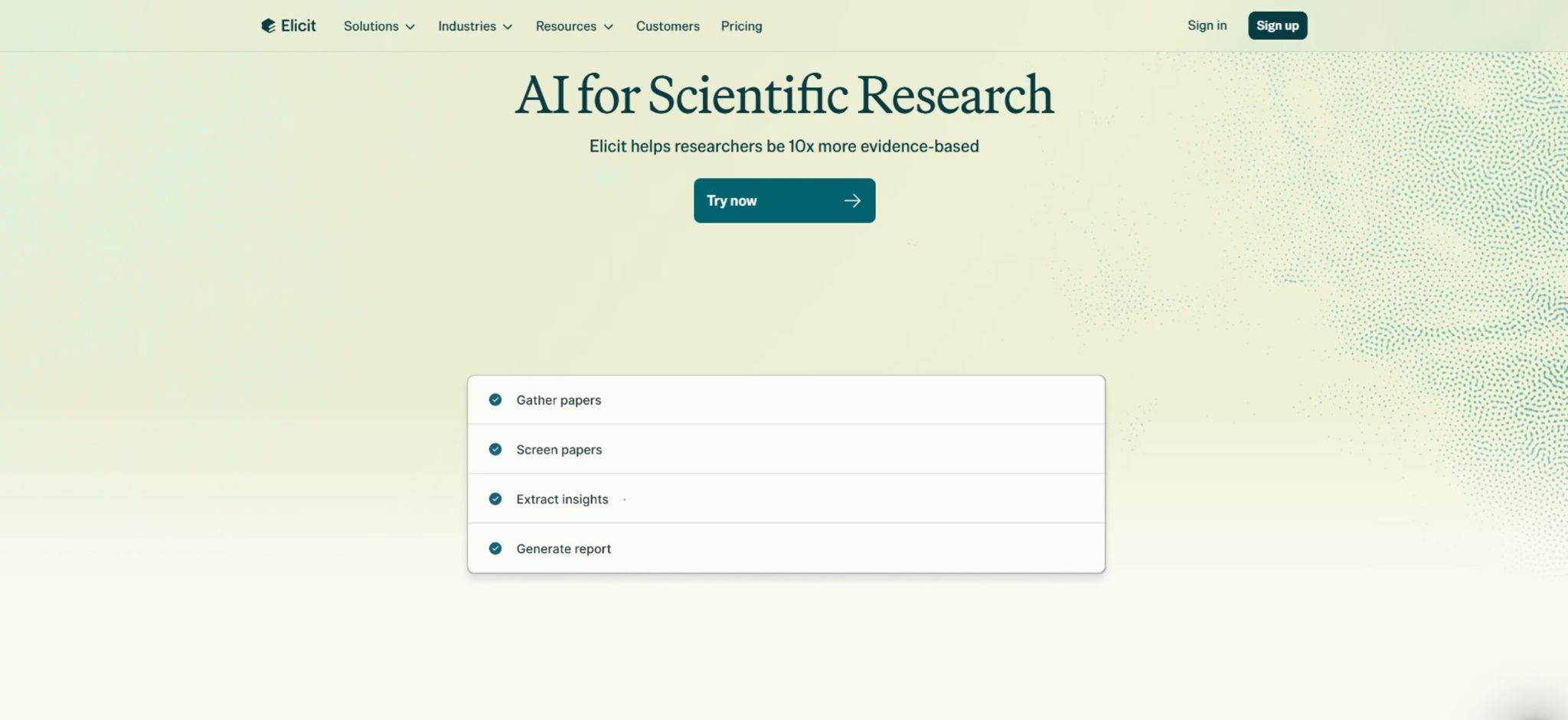
Elicit is built for a narrower job than NotebookLM or Perplexity. It finds and structures evidence from published research, particularly in empirical fields like biomedicine and the sciences. So when you give it a research paper, it searches its indexed corpus of academic papers, summarizes what’s relevant, and extracts specific data points (sample sizes, methods, findings) into a table across dozens of papers at once.
One limitation we’d flag is that Elicit only searches academic and peer-reviewed literature so it won’t help with current events, industry reports, or anything outside published research. For that kind of source discovery, you might want to lean on Perplexity AI.
Best for Writing and Essays
The best tools for AI writing include Grammarly, QuillBot, and ChatGPT. They solve different problems in the writing process, including catching errors, rewriting for clarity, and generating a first draft or outline.
4. Grammarly
- Best for: Catching grammar, clarity, and tone issues as you write, across nearly any app.
- Key strength: Works inline in Google Docs, Gmail, and most browser-based writing tools, so you don’t need to move your text elsewhere to check for grammar.
- Price: Free plan available. Pro runs $12/month on annual billing, $30/month if you pay monthly.
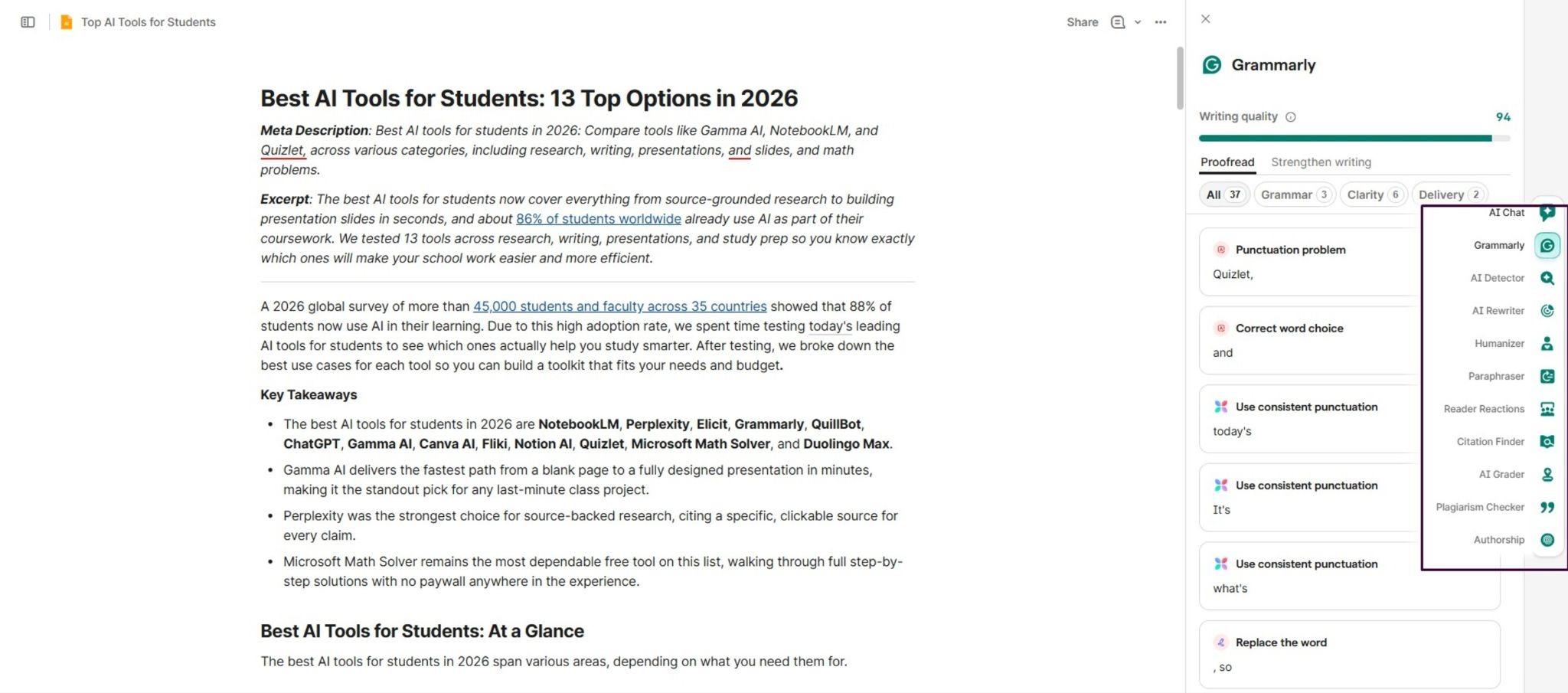
Grammarly improves grammar, clarity, structure, and tone in writing. It does this in real time as you type rather than as a one-off check you run at the end of your work. Grammarly flags ambiguous sentences and suggests relevant word choices, which catches the kind of vague phrasing that’s easy to miss, even when you’re rereading your own essay.
One thing we like about Grammarly is that it integrates with Google Docs, Gmail, WhatsApp, and nearly all apps. So if you’re already writing essays in Google Docs, it layers on top without changing your workflow.
However, we’d like to point out some complaints that users have communicated over time and what we experienced. First, some suggestions change the sentence so much that the original meaning, rhythm, or style gets lost. That’s frustrating when you only want grammar corrections, not rewriting.
Another challenge is that Grammarly pushes wording toward sounding more “positive,” “confident,” or “personable.” While these changes are necessary sometimes, forcing them can feel unnatural or inappropriate for serious, neutral, or critical writing.
5. QuillBot
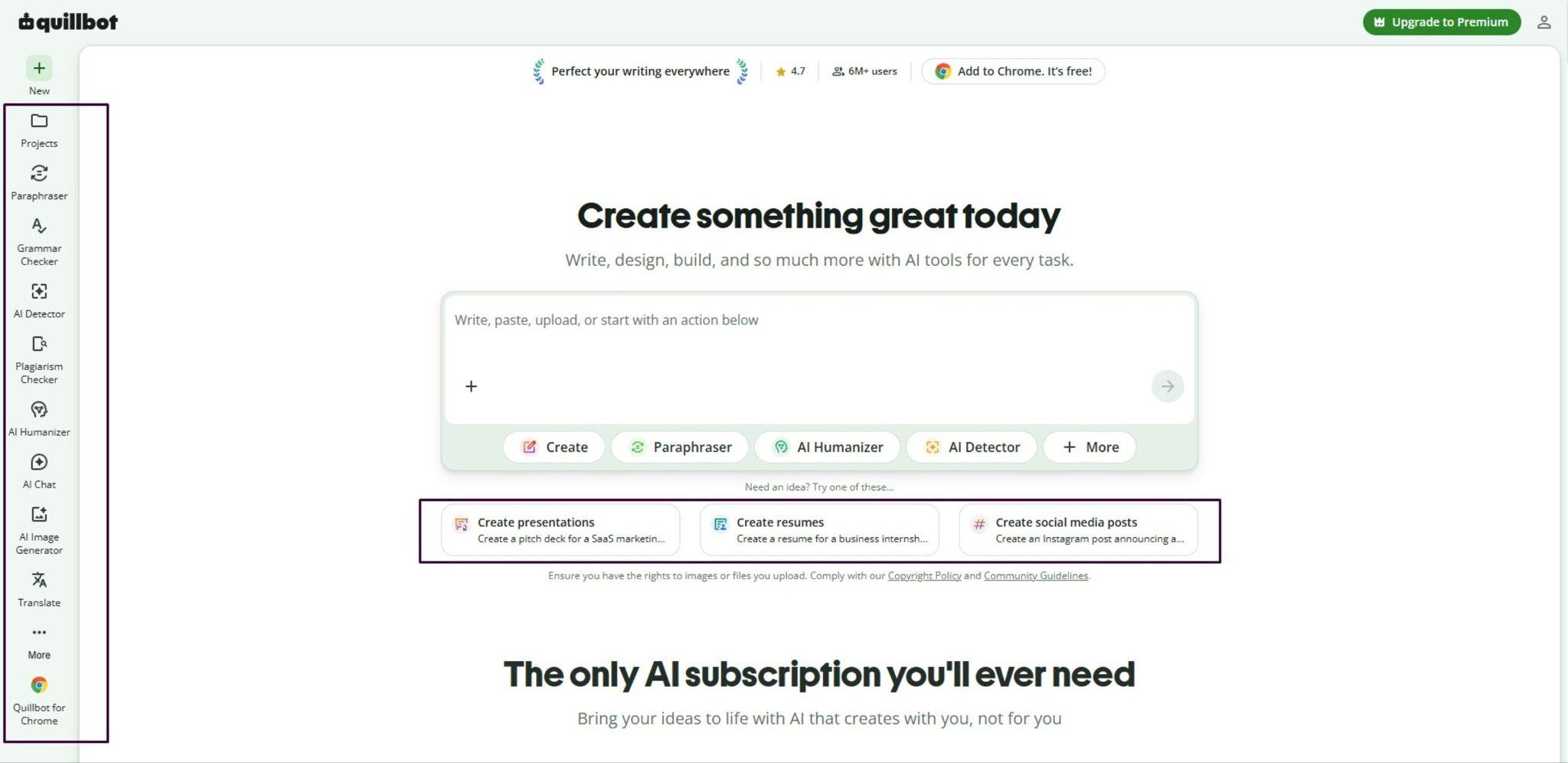
- Best for: Paraphrasing dense academic text and generating citations without losing the original meaning
- Key strength: Offers multiple paraphrasing modes (formal, fluency, academic) rather than one generic rewrite
- Price: Free plan available, while Premium runs $8.33/month on annual billing ($99.95/year), with a $6.25/month verified student rate.
QuillBot assists in rewriting academic text and generating citations, and it’s built more narrowly than Grammarly. It takes rough sentences and turns them into something that reads at an academic register. You paste in a paragraph, pick a mode, and it hands back a rewrite that keeps the meaning intact while changing the structure and word choice.
Quillbot offers more features beyond paraphrasing, including a grammar checker, AI detection tool, and plagiarism checker. The free tier caps you at a 125-word paraphrase limit and two modes, which is fine for testing a sentence but not for reworking a full paragraph.
After using it across a semester’s worth of drafts, we found the jump to Premium worthwhile mainly for the unlimited word count and the built-in citation generator.
6. ChatGPT
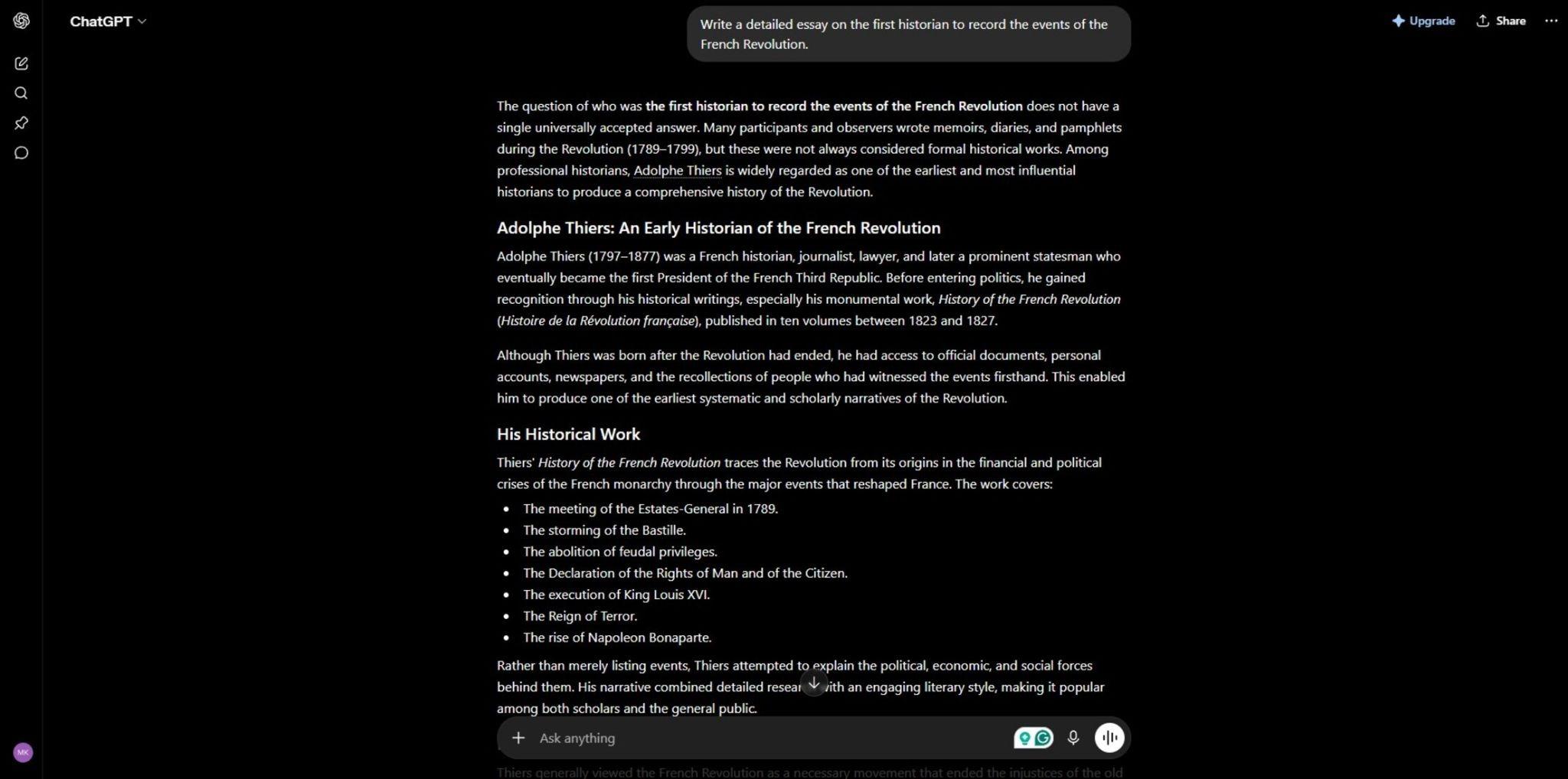
- Best for: Brainstorming, outlining, and getting a quick draft on your work or refining an existing draft.
- Key strength: Handles open-ended requests, like turning a rough thesis idea into a structured outline, making it better than single-purpose writing tools.
- Price: Free plan available. Plus costs $20/month, with no active student discount.
ChatGPT assists in brainstorming and outlining essays, and that’s arguably where it’s most useful for students. Give it a topic and a rough argument, and it can help you structure a thesis, map out supporting points, or talk through counterarguments before you write your essay.
There’s no active ChatGPT Plus student discount as of 2026. The two-month free promotion that ran for US and Canadian college students ended on May 31, 2025, and hasn’t returned. Students now pay the same $20 a month as everyone else, and OpenAI’s pricing page lists no student tier.
The free plan covers most day-to-day brainstorming and outlining fine. Meanwhile, Plus is worth it if you need Deep Research for a longer literature review or the more capable reasoning models for hard problem sets or complex topics.
If you’re deciding between ChatGPT and another assistant for writing specifically, our Claude vs ChatGPT review is worth a look, since Claude is often praised for producing more natural, less “obviously AI” prose on creative writing or longer tasks.
Best for Presentations and Visual Projects
Gamma AI and Canva AI both turn a rough idea into a finished visual, but they each complete this task differently. Gamma builds a full presentation, document, or webpage from a text prompt while Canva gives you a massive template library and layers AI on top for images, copy, and design cleanup.
7. Gamma AI

- Best for: Turning a rough outline or prompt into a complete slide deck in seconds
- Key strength: Generates full presentations, documents, and one-page webpages from a single prompt
- Price: Free plan with one-time credits. The Plus starts around $9/month and Pro around $18/month.
Gamma AI quickly creates presentations and documents from prompts, which makes it the faster option when you’re staring at a blank slide deck. To create a slide deck or website, simply type your prompt or upload an existing document you want to transform and then edit individual cards.
The free plan gives you around 400 one-time AI credits, which works out to roughly 10 to 15 full presentation generations depending on length. That’s enough to test the tool properly before deciding whether to pay. From our testing, the free tier’s biggest catch is that every work is watermarked with Gamma’s own branding.
This could be a dealbreaker the moment you’re presenting to a professor or submitting something client-facing for a class project. So if you need visuals a lot, you might want to opt for Plus at around $9 a month and Pro at around $18 a month.
Both free and paid tiers are worth using, and the paid plans are even worth paying for cause Gamma is easy to use and consistently does a great job turning ideas into visual elements in seconds.
8. Canva AI
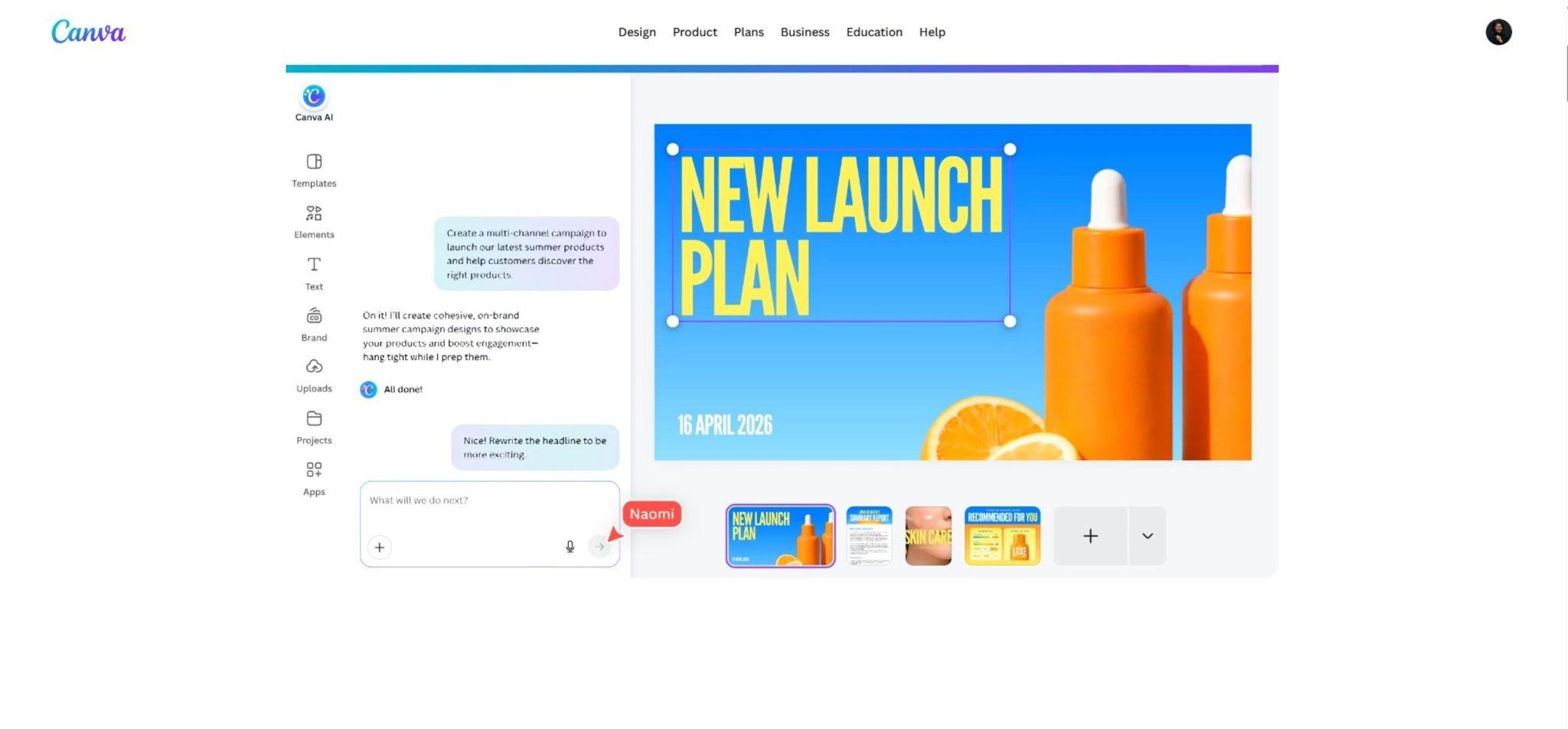
- Best for: Design-heavy projects that mix presentations, posters, social graphics, and photo editing in one place
- Key strength: Bundles AI generation (Magic Studio) with the largest template and stock asset library of any design tool in this category
- Price: Free plan available; Pro runs approximately $15/month
Canva AI’s Magic Studio suite covers a wider range of tasks than Gamma does. Magic Design for prompt-to-layout generation, Dream Lab for AI image generation, Magic Write for on-canvas copy, and a background remover, all inside the same editor most students already know from making posters or social graphics.
If your class project needs more than slides, say a presentation, a matching handout, plus a social post, Canva keeps all of it in one workspace. The free plan includes up to 200 standard and 20 premium AI credits a month, which covers light, occasional use without much friction.
We tested the Magic Design feature against a rough project brief, and it held up well for straightforward layouts. It struggled with highly specific brand or style requests, which is consistent with Canva being a breadth-first tool rather than a precision one.
Canva Pro runs about $15 a month and unlocks 500 AI credits, full Brand Kit access, and priority to new Magic Studio features as they roll out. If you’re also doing photo editing for a project, it’s worth comparing against a dedicated option in our best AI photo editors roundup, since Canva’s editing tools are broad rather than specialized.
Best for Video Projects
9. Fliki
- Best for: Turning a script, blog post, or class notes into a narrated video without filming anything
- Key strength: One of the largest AI voice libraries in the category, useful for multilingual or accent-specific narration
- Price: Free plan with a 5-minute monthly cap and watermark; Standard runs about $21/month on annual billing
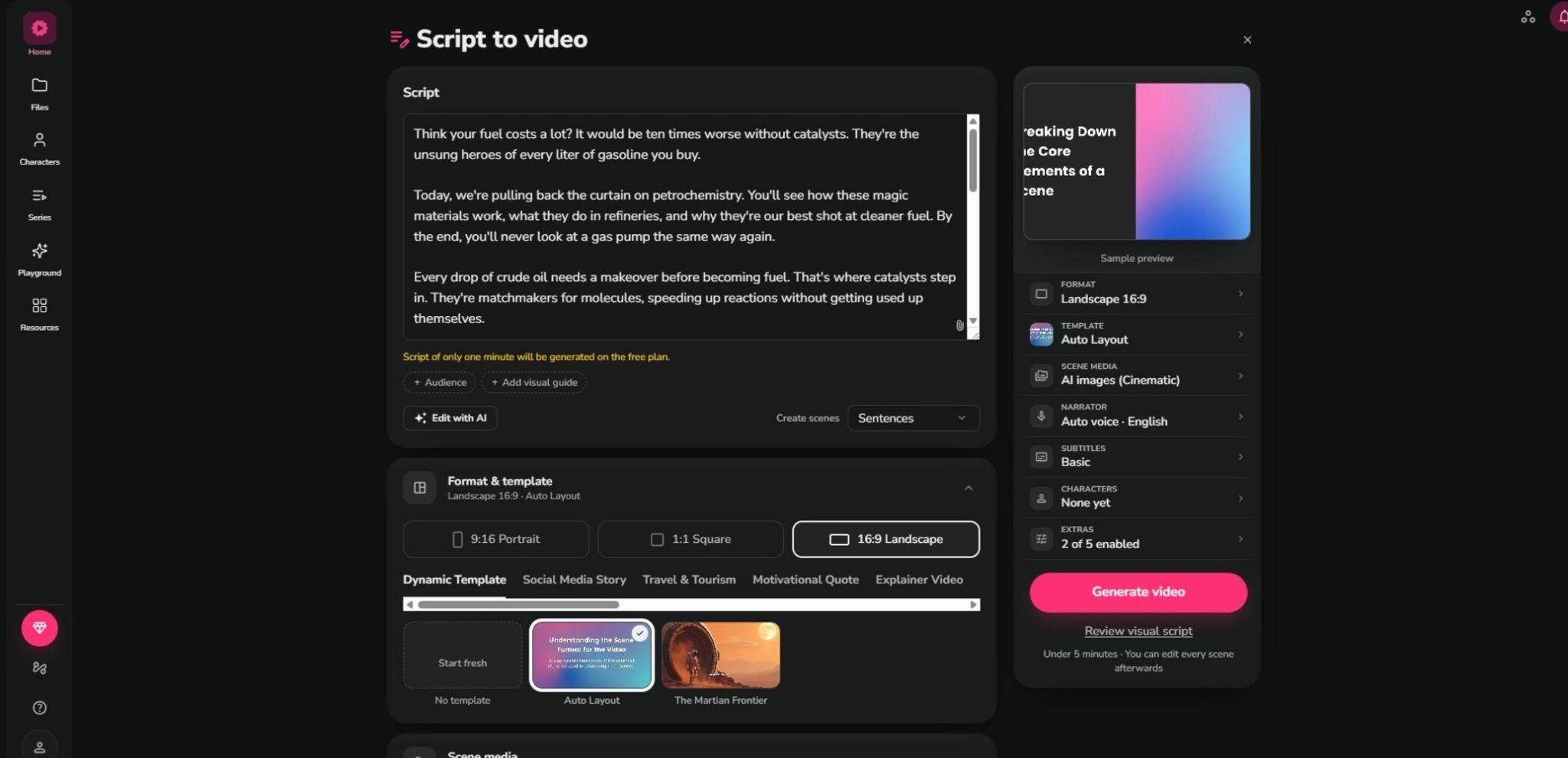
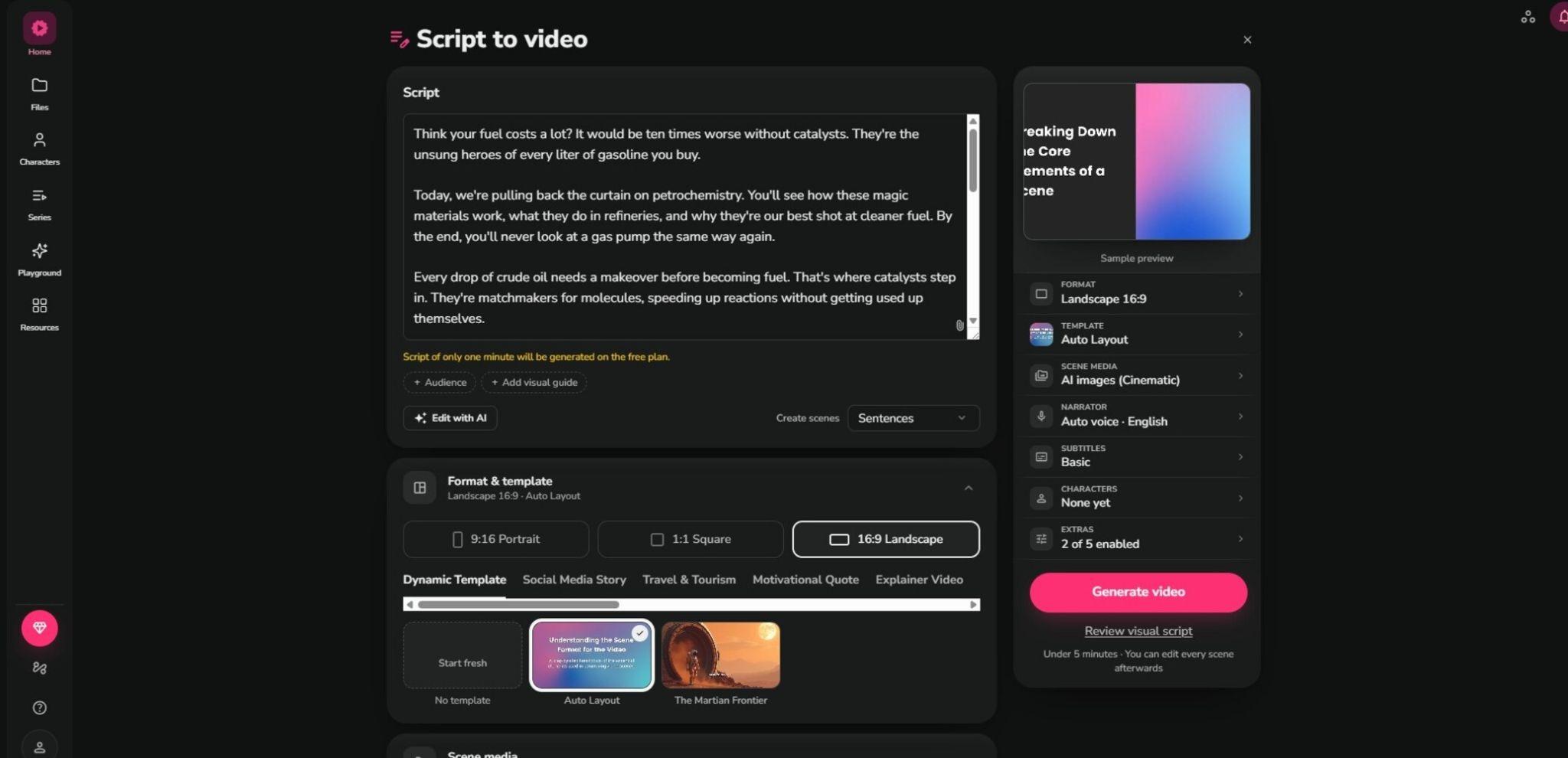
Fliki converts text into a finished, narrated video, which matters if a class project calls for a video presentation or explainer and you don’t have editing skills or a camera setup. To use it, simply paste in a script, an article URL, or even a blog post, and it auto-segments the content into scenes.
After this segmentation, it matches stock visuals, adds an AI voiceover, and outputs a video, usually in under two minutes for a short piece.
From our testing, a 5-minute allowance covers most single-assignment videos. Standard removes the watermark and bumps you to 120 minutes a month at 1080p with access to the full 900+ voice library, running about $21 a month on annual billing.
We ran this prompt on Fliki and got a decent video with captions and a voiceover: “Create an academic presentation video on catalysts in petrochemistry, with a formal tone, clear structure, and visually engaging scientific slides. Explain the role of catalysts in refining and chemical processing, highlight key mechanisms, industrial applications, and recent advances, and conclude with their importance in improving efficiency, selectivity, and sustainability.
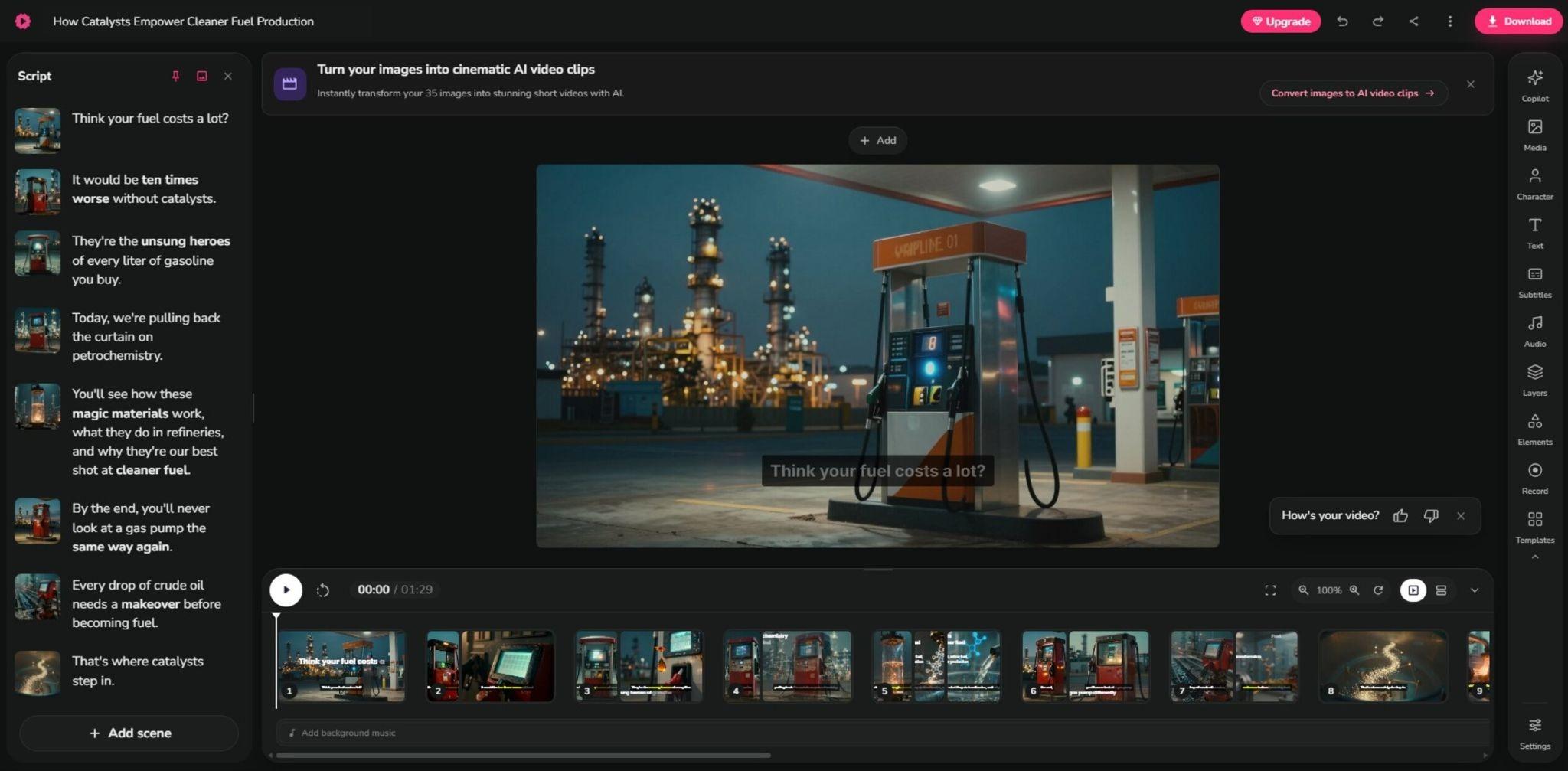
To get the best result with Fliki or any tool, you’ll need to be more specific. Instruct it on the images to add, edit the AI-generated caption, and change the AI-generated voice if the default one doesn’t work for you.
Best for Note-Taking and Study Prep
10. Notion AI
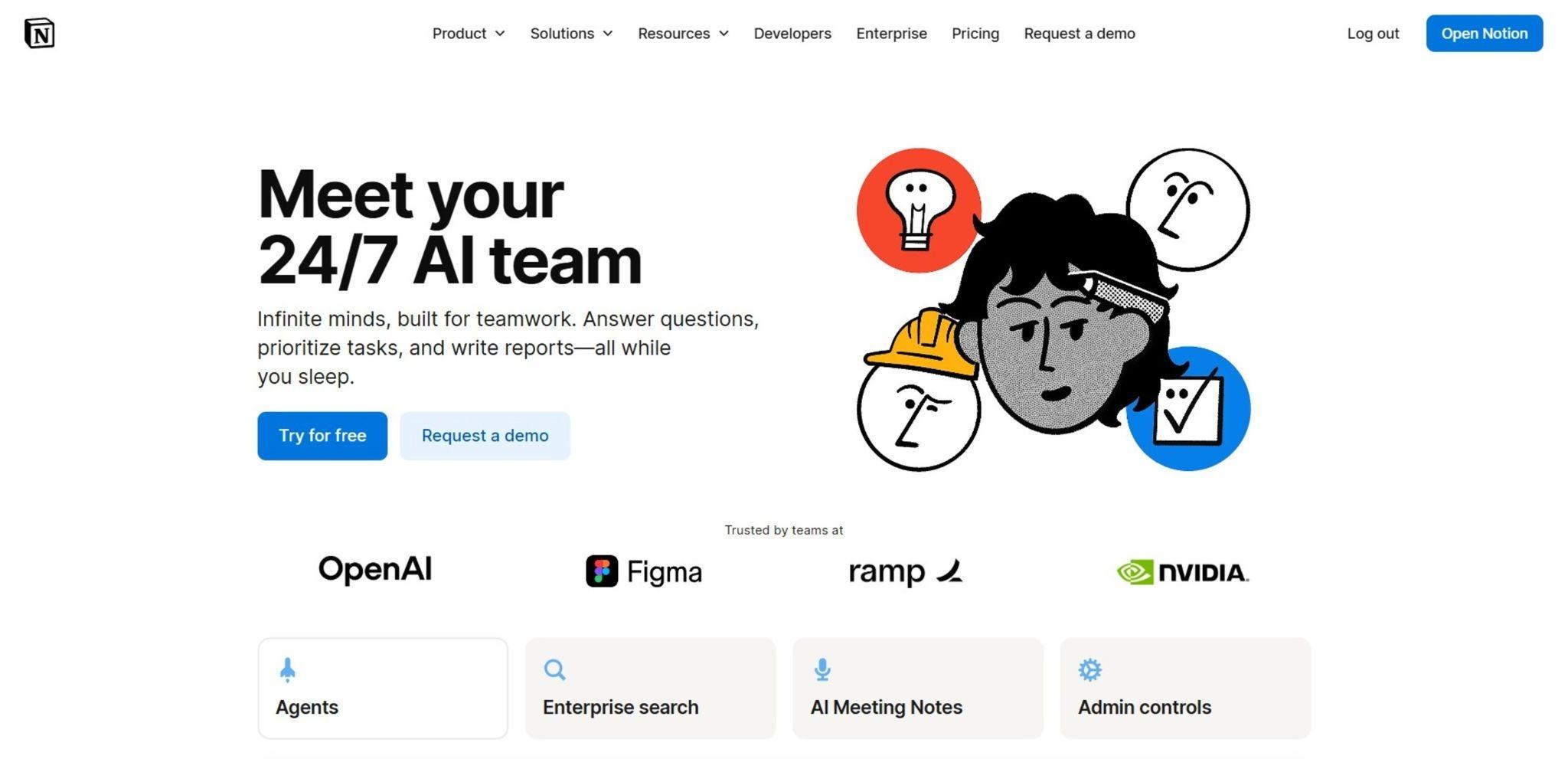
- Best for: Centralizing lecture notes, reading lists, and assignment tracking in one workspace
- Key strength: Combines note-taking, task management, and project planning in a single tool instead of three separate apps
- Price: Free and Plus plans exist, but full AI now requires the Business plan at $20/month
Notion combines note-taking, task management, and project planning in one platform, which is the main reason students use it over a plain notes app. It organizes your reading list, to-do lists, and notes all in one place.
Notion retired its standalone AI add-on in 2025, and full Notion AI, including Notion Agent and AI-powered workspace search, now ships bundled exclusively into the Business plan. That plan is around $20 per user per month on annual billing, and the Free and Plus tiers only get a limited AI trial rather than the full feature set.
If you tried Notion AI a year or two ago, the core Notion app (notes, databases, task boards) is still free and fully usable with some AI features.
11. Quizlet
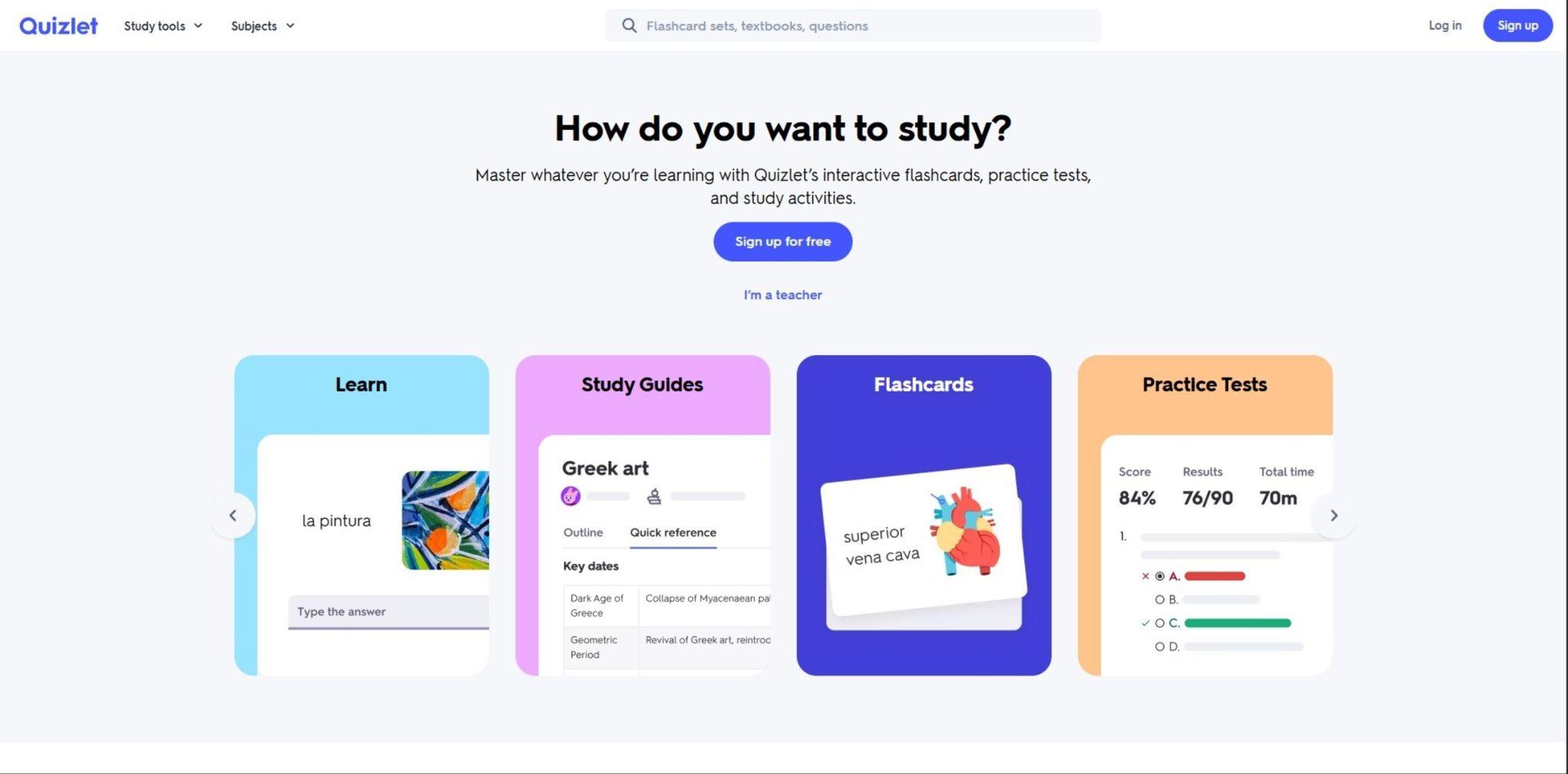
- Best for: Turning notes or a textbook chapter into flashcards and testing yourself with spaced repetition
- Key strength: AI-generated flashcards from your own uploaded material, plus a conversational quiz mode that asks questions instead of just showing answers
- Price: Free plan available; Plus runs $7.99/month ($35.99/year on annual billing)
Quizlet uses AI to create tailored flashcards from notes and PDFs. It also uses spaced repetition for long-term retention, which is why flashcard review actually works for exam prep. To use Quizlet, upload your class notes or a chapter PDF, and its Magic Notes feature extracts key terms into a study set automatically instead of you typing out fifty flashcards by hand.
We tested the AI flashcard generation against a dense set of lecture notes. It handled clearly structured material well. The free tier still lets you browse and study existing community-made sets and use basic Learn and Match modes.
The AI-powered features (Magic Notes and Q-Chat, a Socratic-style quiz bot that questions you rather than handing you the answer) are on the Plus plan. Plus costs $35.99 a year, which works out to under $3 a month on annual billing, or $7.99 a month if you’d rather pay monthly.
Best for Specific Subjects: Math and Language Learning
Some subjects need a more specialized AI tool than a general chatbot. Microsoft Math Solver and Duolingo Max are both built around one specific skill (working through math step by step, or practicing spoken language).
12. Microsoft Math Solver
- Best for: Working through algebra, calculus, geometry, or arithmetic problems step by step.
- Key strength: Completely free with no paid tier, and it explains its reasoning instead of only pushing out a result.
- Price: Free, always, with no subscription option
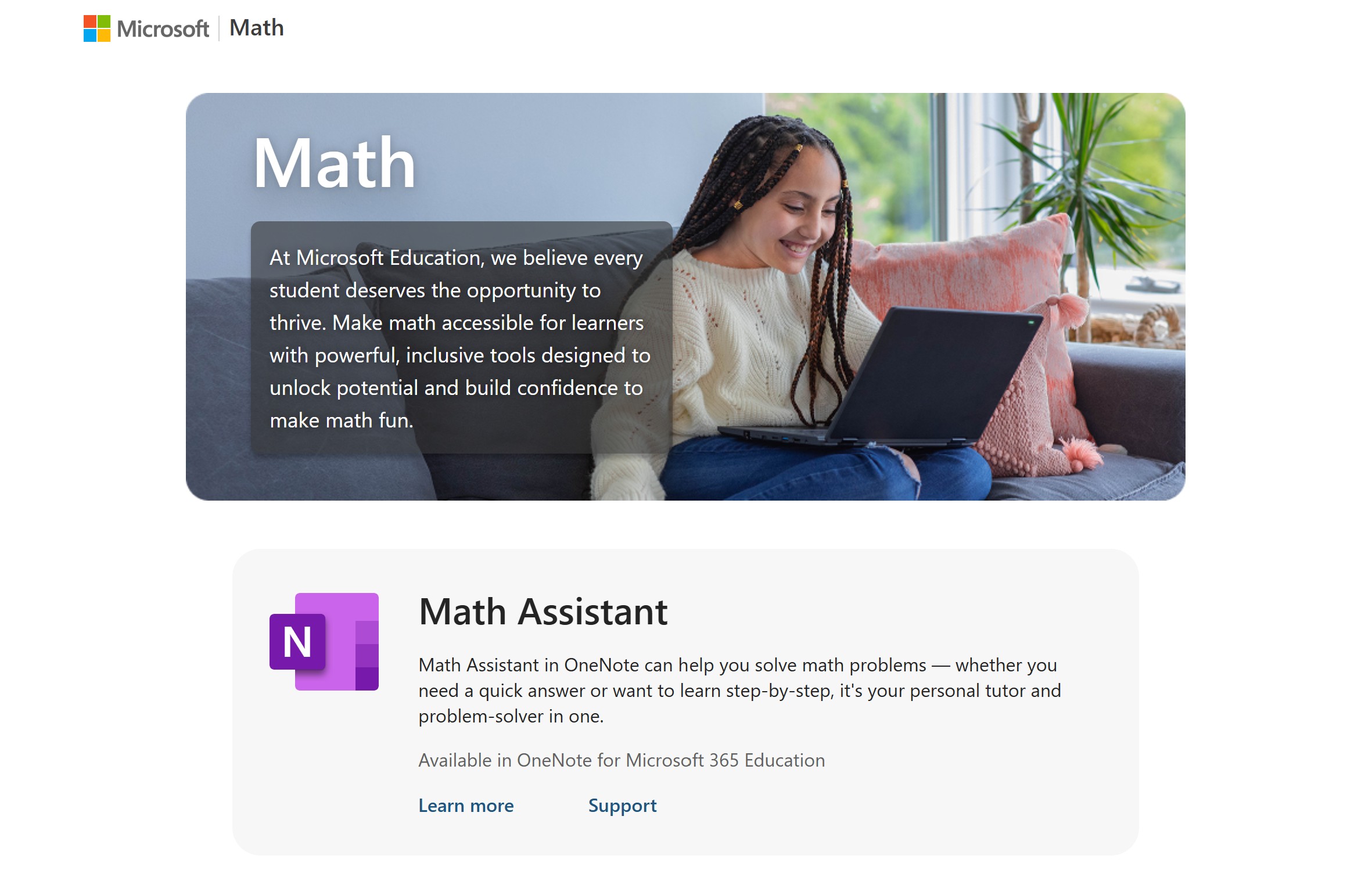
Microsoft Math Solver takes a photo, a handwritten equation, or typed input and breaks the problem down into individual steps rather than just handing you the answer. This is the whole point if you’re trying to actually learn the method for an exam rather than just finish the homework.
The tool covers algebra, calculus, geometry, and arithmetic. It also accepts scanned images, handwritten equations, and typed input. In the area of accessibility, Microsoft discontinued the standalone mobile apps in July 2025. However, the web version at mathsolver.microsoft.com is now the primary way to use it, alongside built-in access through Microsoft Edge and OneNote.
13. Duolingo Max
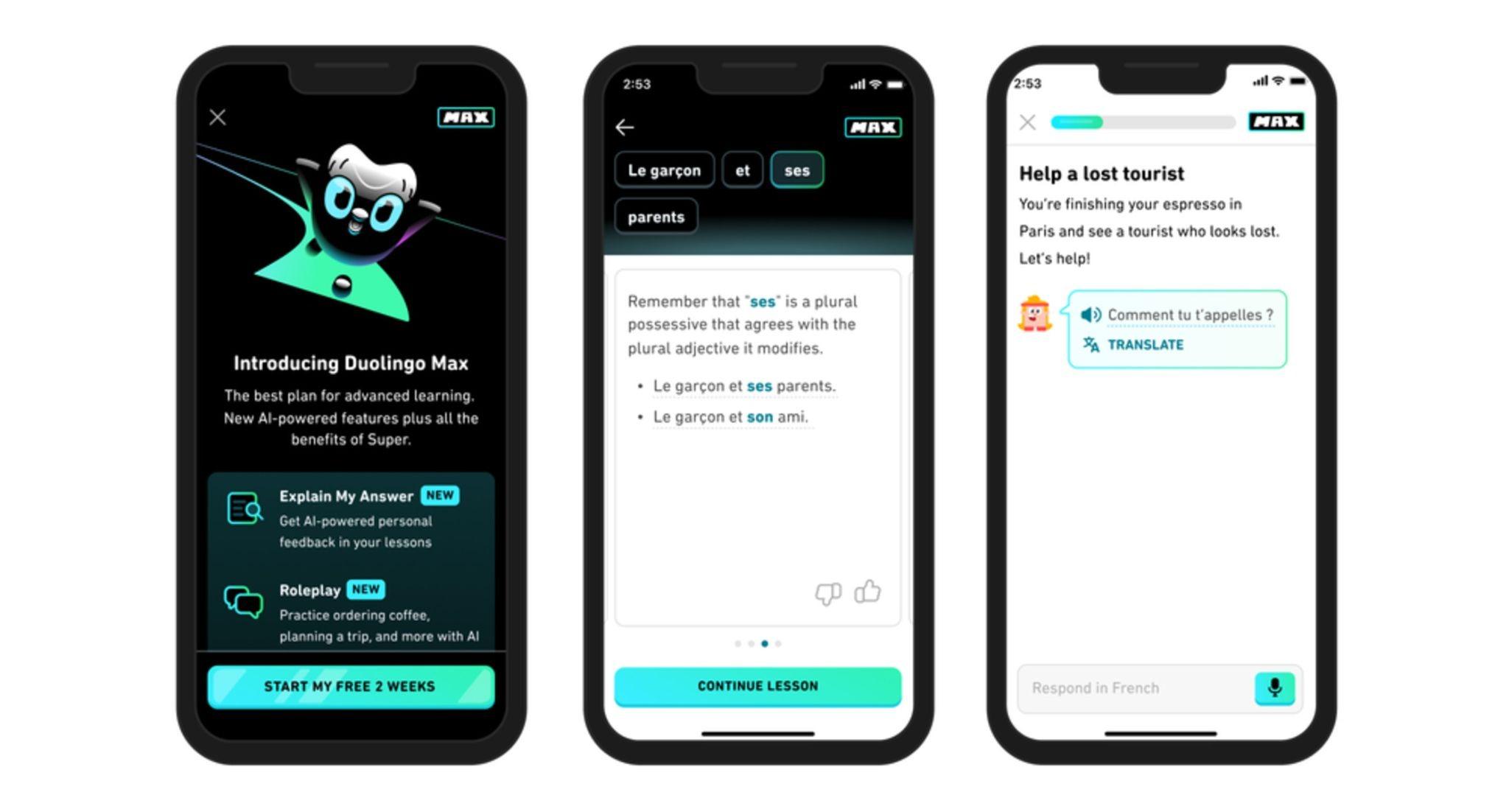
- Best for: Adding spoken conversation practice on top of Duolingo’s standard vocabulary and grammar lessons
- Key strength: AI roleplay conversations with simulated characters, useful for practicing speaking without a real conversation partner
- Price: Free tier available; Super runs about $84/year; Max costs $29.99/month or roughly $168/year
AI-powered tools enhance language learning through interactive experiences, and Duolingo Max is Duolingo’s attempt to bring that into its already-familiar lesson format. It adapts lessons based on your individual progress, and on top of the standard app, Max adds two AI-powered features, Roleplay and Video Call.
Roleplay lets you work through a scripted scenario, like ordering coffee with an AI character. Meanwhile, the Video Call option is a short simulated conversation meant to build comfort speaking out loud.
We tested the Roleplay feature across a couple of scenarios, and the conversations felt reasonably natural for a beginner level. However, each exchange is short and scripted rather than a genuinely open-ended conversation. If your main goal is building vocabulary and grammar intuition, the free tier plus the now-free Explain My Answer feature covers a lot of that already.
How to Use AI Tools Without Losing the Learning
AI tools are most effective when they support your learning process. When you use them well, they save time on the tedious parts of studying and free up mental energy for the parts that actually build understanding. Here are a few things that could keep you on the right track.
- Use AI to check your work: Write your own first draft, solve the problem yourself, or form your own argument before you bring in a tool. Ask it to review, explain, or challenge what you produced instead of asking it to produce the thing itself.
- Ask “why,” not just “what.” If Microsoft Math Solver or ChatGPT gives you an answer, follow up by asking why that step works or what would change if you changed a variable. The study tools that show their reasoning (Microsoft Math Solver’s step-by-step breakdowns, Perplexity’s cited sources) make this easy.
- Policies vary widely between professors and even between assignments in the same class. What’s fine for a study aid (Quizlet flashcards, a Duolingo roleplay) may not be fine for a submitted essay.
- Rotate tools by task instead of defaulting to one for everything. A general chatbot like ChatGPT is convenient, but a purpose-built tool (Elicit for literature review, Grammarly for line edits, QuillBot for paraphrasing) usually outperforms it for that specific job.
Final Verdict
No single tool on this list replaces a semester of actual studying. Rather, they improve your speed of finding or summarizing information and also help you study better. Use NotebookLM or Perplexity when you need grounded research, Grammarly or QuillBot when your writing needs a second pass, and Quizlet when you need to retain what you read.
The idea is to spell out your most pressing and consistent needs, then choose the tool to meet them. If you’re starting from zero, the free tiers alone (NotebookLM, Perplexity, Grammarly, Quizlet, Microsoft Math Solver, Gamma) cover most of what you need in a semester.
Paying only makes sense once a specific free-tier limit, like Grammarly’s monthly AI prompt cap or Quizlet’s flashcard limits, is slowing you down.
FAQs
Which is the best AI for a student?
There’s no single best AI tool for students since needs vary by task. Gamma AI is perfect for turning ideas into; NotebookLM is right for source-grounded research; Grammarly is for polished writing; and Quizlet is great for exam prep. Most students get better results combining two or three purpose-built tools than relying on one general assistant for everything.
Is there any AI better than ChatGPT?
For specific student tasks, yes. Perplexity cites non-academic and academic sources more reliably for research. Meanwhile, Grammarly catches more grammar issues in real time, and NotebookLM stays more accurate when working from your own uploaded documents. ChatGPT remains strong for general brainstorming and outlining, but purpose-built tools often outperform it on narrower tasks.
What AI do students use most?
ChatGPT remains the most widely used general AI tool among students worldwide, largely due to name recognition and its free tier. For specific academic tasks, Grammarly leads in writing assistance, Quizlet leads in flashcard-based study, and Perplexity has gained ground quickly as a source-cited research alternative to general search.