
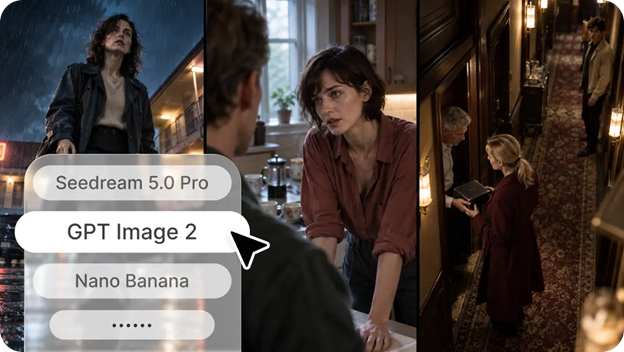
A visual idea can be easy to imagine but surprisingly difficult to communicate. A marketing team might want to show how a product fits into everyday life, a writer may need an illustration for an unfamiliar concept, or a startup founder might want to present an idea before investing in its development. In each case, the challenge is turning an abstract thought into something other people can see, understand, and evaluate.
For a long time, developing these visuals often required a combination of design expertise, photography, illustration, and repeated revisions. That process can still be valuable, especially when precision is essential, but it may take considerable time before a team can compare its first few ideas. Artificial intelligence introduces a different starting point by allowing creators to describe a concept in ordinary language and explore a visual interpretation of it.
An ai image generator can therefore serve as more than a way to create attractive pictures. It can become a practical thinking aid, helping people test assumptions, communicate possibilities, and identify promising creative directions before moving into detailed production. Platforms such as Dreamina offer an accessible environment for exploring this approach, while the quality of the outcome still depends on clear instructions, thoughtful selection, and human judgment.
From Unclear Ideas to Visual Experiments
One of the most difficult stages of a creative project happens before the final design begins. People may agree on the overall goal but have different interpretations of what the finished result should look like. Words such as modern, welcoming, premium, or energetic can mean very different things to different people.
Visual experimentation helps make those differences visible. A team developing a website for a sustainable clothing brand, for example, could explore a natural outdoor setting, a clean studio composition, and a bold editorial concept. Comparing these directions gives the team something concrete to discuss instead of relying entirely on descriptions.
The important point is that early images do not need to be final assets. Their purpose may simply be to reveal which direction communicates the right message. A rough visual that exposes a weakness in the original idea can be more useful than a polished image that looks impressive but fails to support the project’s goals.
Understanding the Role of AI Image Generation Tools

Different creative projects require different capabilities. Some need realistic product concepts, while others benefit from imaginative illustrations, atmospheric backgrounds, or unusual combinations of objects and environments. The usefulness of a tool depends partly on how well its available features match the task.
Modern ai image generation tools can help users explore written descriptions as visual concepts. Depending on the platform, users may be able to experiment with artistic styles, adjust prompts, generate alternatives, or refine images through additional editing features. Available capabilities, export options, and usage limits vary, so checking the current feature set is important before choosing a tool for a specific workflow.
Rather than comparing platforms only by how impressive one sample image looks, creators should consider how effectively a tool supports the entire process. Can it produce visuals suited to the intended format? Is it easy to refine an unsatisfactory result? Can the output be reviewed and edited for professional use? These practical questions are often more important than a single demonstration.
Why the Prompt Is a Creative Decision
A prompt is not merely a command entered into an image generator. It is a compact creative brief that explains what matters most in the image. The more clearly the brief communicates the desired result, the easier it becomes to assess whether the output is suitable.
A useful prompt usually identifies the main subject, its surroundings, the composition, the lighting, and the intended mood. For a home furniture campaign, a request for a chair in a room provides only a basic direction. A description of a contemporary wooden chair beside a large window, surrounded by neutral fabrics and illuminated by soft afternoon light, establishes a more recognizable visual concept.
However, adding more words does not automatically improve the result. Excessive instructions can introduce conflicting requirements or distract from the most important elements. The aim is to provide relevant detail while preserving a clear visual hierarchy. If the main subject is essential, describe it first and make sure secondary details support rather than compete with it.
Using Visual Variations to Make Better Decisions
Creative teams often discover their strongest ideas through comparison. A single image shows one interpretation, but several carefully planned alternatives reveal how different choices influence the overall message.
Imagine a company preparing a campaign for a new reusable water bottle. One concept could emphasize outdoor adventure, another could focus on a minimalist desk setup, and a third could highlight the product’s materials against a simple background. Each direction appeals to a different context and may suit a different audience.
The team can then discuss the relationship between the visual and the campaign objective. Does the outdoor scene communicate durability? Does the minimalist composition make the product easier to recognize? Does the selected background support the brand’s established style? These questions transform image generation from casual experimentation into a structured decision-making process.
For meaningful comparisons, it helps to change one major variable at a time. Testing different lighting conditions while keeping the subject and composition similar makes the effect of lighting easier to evaluate. Changing every element in every version may create variety, but it makes the underlying lessons harder to identify.
Where AI-Generated Visuals Can Make a Difference
Product Planning and Concept Development
Businesses can explore packaging ideas, product environments, advertising concepts, and possible presentation styles before committing to expensive production. These visuals can support internal discussions and help teams identify design preferences early.
Generated concepts should not be mistaken for accurate technical prototypes. If a visual represents a product that already exists, dimensions, materials, colors, and functional features must be checked carefully. An attractive concept is useful for exploration, but it should not create false expectations about the final item.
Education and Knowledge Sharing
Teachers, trainers, and students sometimes need to explain ideas that are difficult to capture with ordinary photography. A conceptual scene can make a presentation more engaging or give learners a starting point for discussing an unfamiliar subject.
Educational images still require verification. AI-generated diagrams may contain incorrect relationships, misplaced objects, or other details that look convincing at first glance. Where accuracy is important, factual labels and technical elements should be checked independently rather than accepted simply because the image appears professional.
Publishing and Content Development
Bloggers, online publishers, and social media teams need visuals that fit the subject and the audience. AI image creation can help them explore illustration concepts, article covers, and campaign imagery without beginning every project with a blank design file.
The most effective visuals add context instead of repeating the headline in picture form. An article about managing a remote team, for example, might benefit from an image showing a thoughtful workspace and a collaborative setting rather than a generic laptop surrounded by floating icons. Specificity helps an illustration feel connected to the subject.
Presentations and Client Communication
When pitching a proposal, describing a future design entirely through text can leave room for misunderstandings. Concept images provide a shared reference that makes it easier for clients and colleagues to discuss atmosphere, composition, and visual priorities.
These images can also make feedback more precise. Instead of saying that a proposal feels wrong, a client may explain that the colors are too dramatic, the background is distracting, or the subject needs more space. This information can guide the next stage of professional design.
Recognizing the Difference Between Visual Appeal and Accuracy
A visually appealing image is not necessarily a reliable representation of reality. Image models can produce inconsistent reflections, unusual proportions, distorted hands, irregular patterns, and objects that do not behave as expected. Some mistakes are obvious, while others become noticeable only when the image is enlarged.
This distinction matters whenever the image communicates information about a real product, place, person, or event. A conceptual illustration can tolerate a degree of creative interpretation, but a commercial product image may need much greater precision. The intended use should determine how carefully the result is checked.
A practical review should include the main subject, background details, lighting, proportions, and any visible text. Creators should also ask whether the image could mislead its audience. If it portrays an imagined situation, it should not be presented as documentary evidence. Clear labeling and honest presentation help maintain trust.
Building a Repeatable Creative Workflow
Consistent results rarely come from generating images without a plan. A repeatable process makes experimentation easier to manage and helps teams understand which decisions produced a useful outcome.
A simple workflow can follow these stages:
- Define the objective. Decide what the image needs to communicate and where it will be used.
- Write the visual brief. Identify the subject, setting, composition, lighting, and mood.
- Generate initial concepts. Explore a small number of distinct directions rather than producing endless variations.
- Evaluate the results. Compare each image against the original objective and identify specific weaknesses.
- Refine the strongest option. Adjust the prompt or use appropriate editing tools to improve the composition.
- Complete a quality review. Check accuracy, visual consistency, text, licensing requirements, and suitability for publication.
Saving successful prompts can also help. A team may develop a useful description for its preferred lighting, background style, or brand atmosphere and adapt it for future projects. This does not guarantee identical outputs, but it provides a more consistent starting point.
Ethical and Commercial Considerations
Before publishing AI-generated content, creators should understand the rules that apply to their chosen platform and intended use. Commercial permissions, usage limits, attribution requirements, and other conditions may differ between services or account types. Reviewing the current terms is particularly important for businesses producing visuals for clients.
Privacy and consent deserve attention as well. Using someone’s likeness without permission or creating a realistic image that falsely suggests a person did something can cause harm. Generated images should not be used to fabricate evidence, misrepresent real events, or deceive customers about a product’s characteristics.
There is also a broader question of creative responsibility. AI can accelerate the development of ideas, but it does not replace the need to understand an audience, establish a clear message, or make informed design decisions. Human oversight gives the process direction and helps ensure that the final result meets professional and ethical expectations.
Conclusion
AI image generation is changing how people explore and communicate creative ideas. By turning written descriptions into visual possibilities, it can help teams compare concepts, explain proposals, develop campaign directions, and identify promising approaches before investing in detailed production.
The greatest benefit comes from treating generated images as part of a broader creative process rather than as automatic finished products. Clear objectives, well-structured prompts, deliberate experimentation, and careful review make the results more useful. Tools such as Dreamina can support this exploration, but the creator remains responsible for deciding whether an image communicates the right message and meets the required standard.
As these capabilities continue to develop, thoughtful use will matter more than simply generating a large number of pictures. The most effective visual workflows combine the speed of AI with human creativity, practical knowledge, and a clear understanding of the audience.
Frequently Asked Questions
1. What is AI image generation?
AI image generation is a process in which an artificial intelligence model creates an image based on instructions, often provided as written text. Depending on the platform, users may also be able to refine results or work with additional visual inputs.
2. How can AI image generation tools help businesses?
They can help businesses explore advertising concepts, product scenes, website graphics, social media visuals, and presentation materials. The results can support early planning, although important product details should be verified before commercial publication.
3. Do I need design experience to generate images?
No advanced design experience is necessarily required to begin. Users can start with a clear description and improve their results by experimenting with composition, lighting, subject details, and style.
4. Why do AI-generated images sometimes contain errors?
AI models may produce details that appear plausible but are visually inconsistent. Problems can include distorted objects, inaccurate proportions, unnatural textures, and incorrect text. Reviewing the image and refining the prompt can help address some of these issues.
5. Can generated images be used in professional projects?
They may be suitable for many professional projects, depending on the quality requirements, intended use, and applicable licensing terms. Commercial users should check platform conditions and inspect the final image carefully before publishing it.
6. What makes a good prompt for AI image generation?
A good prompt explains the main subject, setting, composition, lighting, and intended mood. Specific, relevant details usually provide clearer direction than vague requests or long descriptions containing conflicting instructions.